
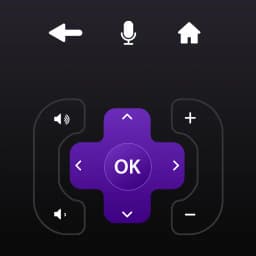
Screenshots
About Roku Remote Control for RokuTV
Control your Roku TV from your Android phone with Roku Remote Control for RokuTV. This app replaces the physical remote, giving you full command of your television directly from the device already in your hand.
The remote interface is intuitive and responsive. Navigate menus using a large touchpad, or use swipe-based gestures for faster movement through content. A built-in keyboard makes searching and text entry simple—no more hunting for individual letters on a tiny on-screen pad. Access your favorite streaming channels instantly through the dedicated Channels tab: HBO, YouTube, and other apps load in seconds.
Cast photos and videos from your phone's gallery to your TV in high definition. The SmartCast feature lets you send media directly from your library to the big screen with a single tap on the Cast tab. All it takes is a tap, and your content appears on your Roku TV.
Comparable devices often bury controls behind layers of menus or overwhelm users with unnecessary buttons and settings. This remote strips away the clutter. The clean design focuses on what you actually use: channel access, playback control, navigation, and text input. Whether you're switching between streaming apps, adjusting volume, or pausing a show, the controls are where you expect them.
Setup is straightforward: connect both your Android device and your Roku TV to the same Wi-Fi network, and the app finds your television automatically. No pairing codes, no complex configuration—just open the app and start controlling.
Use Roku Remote Control for RokuTV to manage playback, launch applications, control volume, and navigate menus all from your phone. If you've lost your physical remote or simply prefer the convenience of one unified device, this app delivers a practical replacement without unnecessary features or bloated interfaces.
Pros & Cons
Pros
- Touchpad and gesture navigation make menu browsing faster than physical remote
- Built-in keyboard eliminates hunting for letters in text entry
- Cast photos and videos to your TV directly from your phone's gallery
- Automatic TV discovery on same Wi-Fi network—no pairing codes needed
Cons
- Requires both phone and TV connected to the same Wi-Fi network to function
- Losing your phone means losing remote access until you retrieve it
- Phone screen stays active while controlling, draining battery during extended use
- No physical buttons means accidental taps can trigger unwanted actions
Related Apps

Microsoft PowerToys
Windows utilities and productivity tools — enhance your workflow with system tools, window management, and file preview features.

Windows Essentials 2012
Email, messaging, photo editing, video creation, and cloud storage—Windows Essentials 2012 includes all the productivity tools you need.

Free Download Manager
Download manager that speeds up transfers, organizes files by type, and syncs with Firefox and Chrome.

HWiNFO
Hardware monitoring for Windows—track CPU temp, GPU load, fan speed, voltage in real time.

TransMac
Read Mac drives and DMG files on Windows. Access APFS/HFS+ storage and create disk images.

TestDisk & PhotoRec
Recover lost files and repair disk partitions — free open-source data recovery tool for Windows.
Latest Articles

Play a free Color Ball Sort Puzzle-style game in your browser (no download)
Oct 6, 2026

Play a free Beach Buggy Racing-style kart racer in your browser (no download)
Oct 6, 2026

Play a free Alto's Adventure-style game in your browser (no download)
Oct 6, 2026

Free online whiteboard like Jamboard: use Quickboard in your browser, no signup
Oct 6, 2026

Free online running pace calculator: splits, race predictor and daily challenge, no download
Oct 6, 2026